> ## Documentation Index
> Fetch the complete documentation index at: https://pipedream.com/docs/llms.txt
> Use this file to discover all available pages before exploring further.
# Environments
Pipedream Connect projects support two environments: `development` and `production`. Connected accounts and credentials stored in one environment remain separate from the other.
You can use all of the Connect features in `development` mode **on any plan**. **[Visit the pricing page](https://pipedream.com/pricing?plan=Connect)** to select the right plan when you’re ready to ship your app to production.
## Development mode
Development mode provides access to all Connect features while you’re building and testing your integration with the following constraints:
* **Maximum of 10 external users**: The development environment is limited to 10 unique external user IDs. If you exceed this limit, you’ll need to [delete some existing users](/connect/managed-auth/users/#deleting-users) before adding new ones.
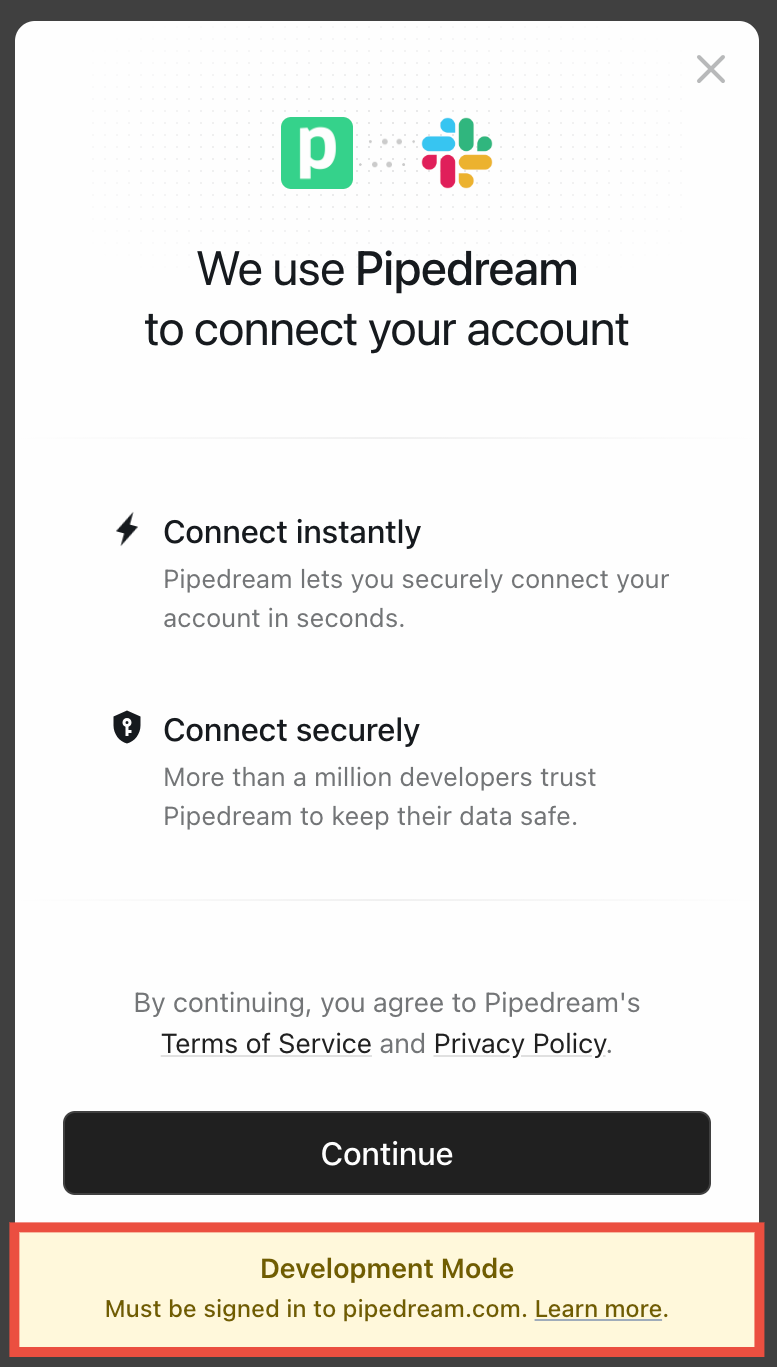
* **Must be signed in to pipedream.com**: When connecting an account in development mode, you must be signed in to pipedream.com in the same browser where you’re connecting your account.
* **Personal testing only**: Development mode is intended for your own accounts during testing and development, not for your real end users.
The `development` environment is not intended for production use with your customers. When you’re ready to launch, you should transition to `production`.
 ## How to specify the environment
You specify the environment when [creating a new Connect token](/connect/api-reference/create-connect-token) with the Pipedream SDK or API. When users successfully connect their account, Pipedream saves the account credentials (API key, access token, etc.) for that `external_user_id` in the specified environment.
Always set the environment when you create the SDK client:
```js theme={null}
import { PipedreamClient } from "@pipedream/sdk";
const client = new PipedreamClient({
projectEnvironment: "development", // change to production if running for a test production account, or in production
clientId: "your-oauth-client-id",
clientSecret: "your-oauth-client-secret",
projectId: "proj_xxxxxxx"
});
```
or pass the `x-pd-environment` header in HTTP requests:
```sh theme={null}
curl -X POST https://api.pipedream.com/v1/connect/{project_id}/tokens \
-H "Content-Type: application/json" \
-H "x-pd-environment: development" \
-H "Authorization: Bearer {access_token}" \
-d '{
"external_user_id": "your-external-user-id"
}'
```
## Shipping Connect to production
When you’re ready to ship to production:
1. Visit the [pricing page](https://pipedream.com/pricing?plan=Connect) to enable production access
2. Update your environment to `production` in your SDK client configuration and / or API calls
Using Connect in production doesn’t have any user limits and doesn’t require that the end user is signed in to pipedream.com like the development environment does.
## How to specify the environment
You specify the environment when [creating a new Connect token](/connect/api-reference/create-connect-token) with the Pipedream SDK or API. When users successfully connect their account, Pipedream saves the account credentials (API key, access token, etc.) for that `external_user_id` in the specified environment.
Always set the environment when you create the SDK client:
```js theme={null}
import { PipedreamClient } from "@pipedream/sdk";
const client = new PipedreamClient({
projectEnvironment: "development", // change to production if running for a test production account, or in production
clientId: "your-oauth-client-id",
clientSecret: "your-oauth-client-secret",
projectId: "proj_xxxxxxx"
});
```
or pass the `x-pd-environment` header in HTTP requests:
```sh theme={null}
curl -X POST https://api.pipedream.com/v1/connect/{project_id}/tokens \
-H "Content-Type: application/json" \
-H "x-pd-environment: development" \
-H "Authorization: Bearer {access_token}" \
-d '{
"external_user_id": "your-external-user-id"
}'
```
## Shipping Connect to production
When you’re ready to ship to production:
1. Visit the [pricing page](https://pipedream.com/pricing?plan=Connect) to enable production access
2. Update your environment to `production` in your SDK client configuration and / or API calls
Using Connect in production doesn’t have any user limits and doesn’t require that the end user is signed in to pipedream.com like the development environment does.