> ## Documentation Index
> Fetch the complete documentation index at: https://pipedream.com/docs/llms.txt
> Use this file to discover all available pages before exploring further.
# If/Else
## Overview
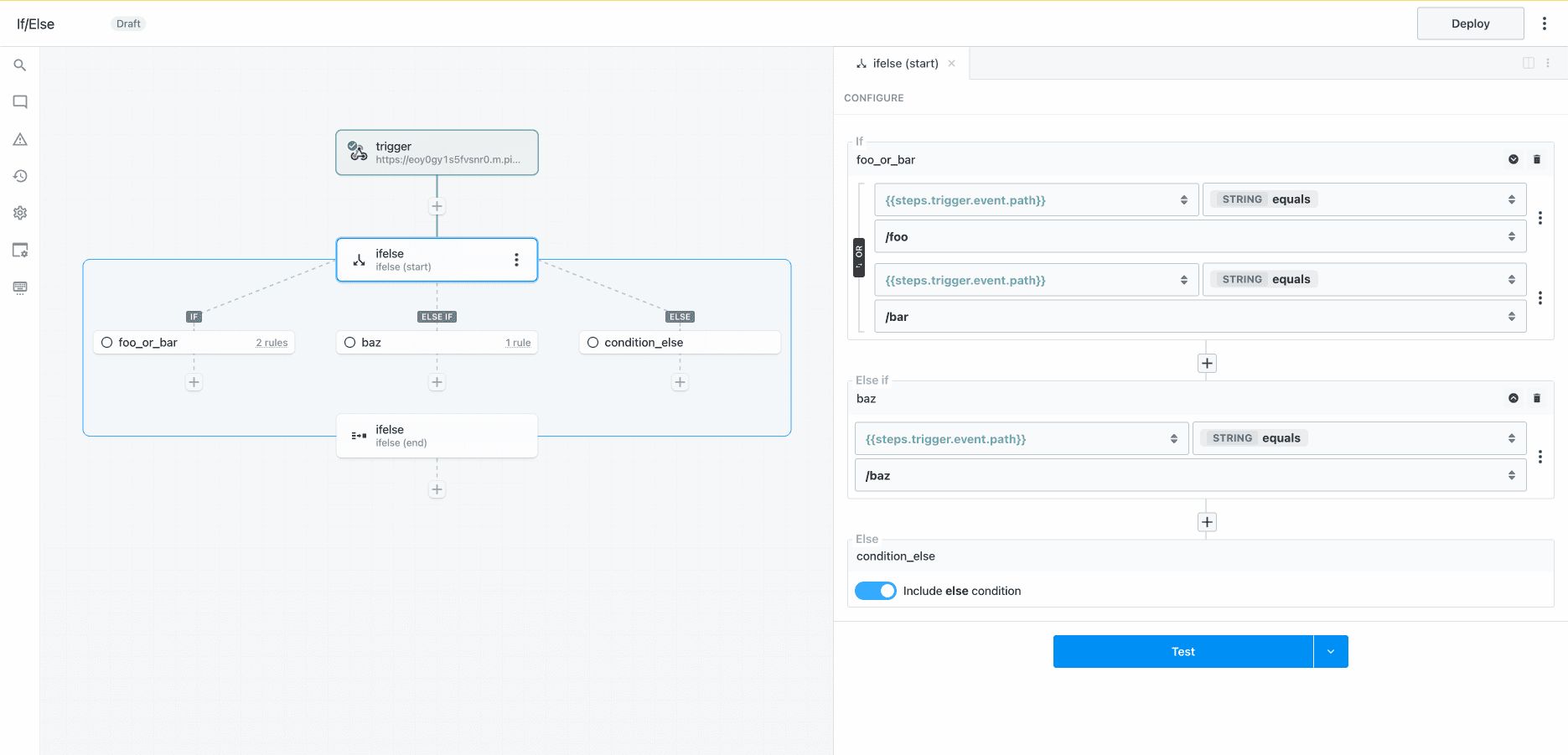
**If/Else** is single path branching operator. You can create multiple execution branches, but Pipedream will execute the **first** branch that matches the configured rules. **The order in which rules are defined will affect the path of execution.**
If/Else operator is useful when you need to branch based on the value of **multiple input variables**. You must define both the input variable and condition to evaluate for every rule. If you only need to test for the value of a **single input variable** (e.g., if you are branching based on the path of an inbound request), the [Switch operator](/workflows/building-workflows/control-flow/switch/) may be a better choice.
## Capabilities
* Define rules to conditionally execute one of many branches
* Evaluate one or more expressions for each condition (use boolean operators to combine multiple rules)
* Use the **Else** condition as a fallback
* Merge and continue execution in the parent flow after the branching operation
If you disable the **Else** branch and there are no matching cases, the workflow will continue execution in the parent workflow after the **end** phase of the If/Else block
The If/Else operator is a control flow **Block** with **start** and **end** phases. [Learn more about Blocks](/workflows/building-workflows/control-flow/#blocks).
## Demo
## Getting Started
Add a trigger and generate an event to help you build and test your workflow:
Click the + button to add a step to the canvas and select If/Else from the Control Flow section on the right. In the “start” phase, configure rules for each branch (optionally toggle the else branch) and then test the step.
**IMPORTANT:** If you disable the **Else** condition and an event does not match any of the rules, the workflow will continue to the next step after the **If/Else** section. If you want to end workflow execution if no other conditions evaluate to `true`, enable the Else condition and add a **Terminate Workflow** action.
Add a step to the success branch and test it
Test the end phase to export results from the If/Else control flow block.
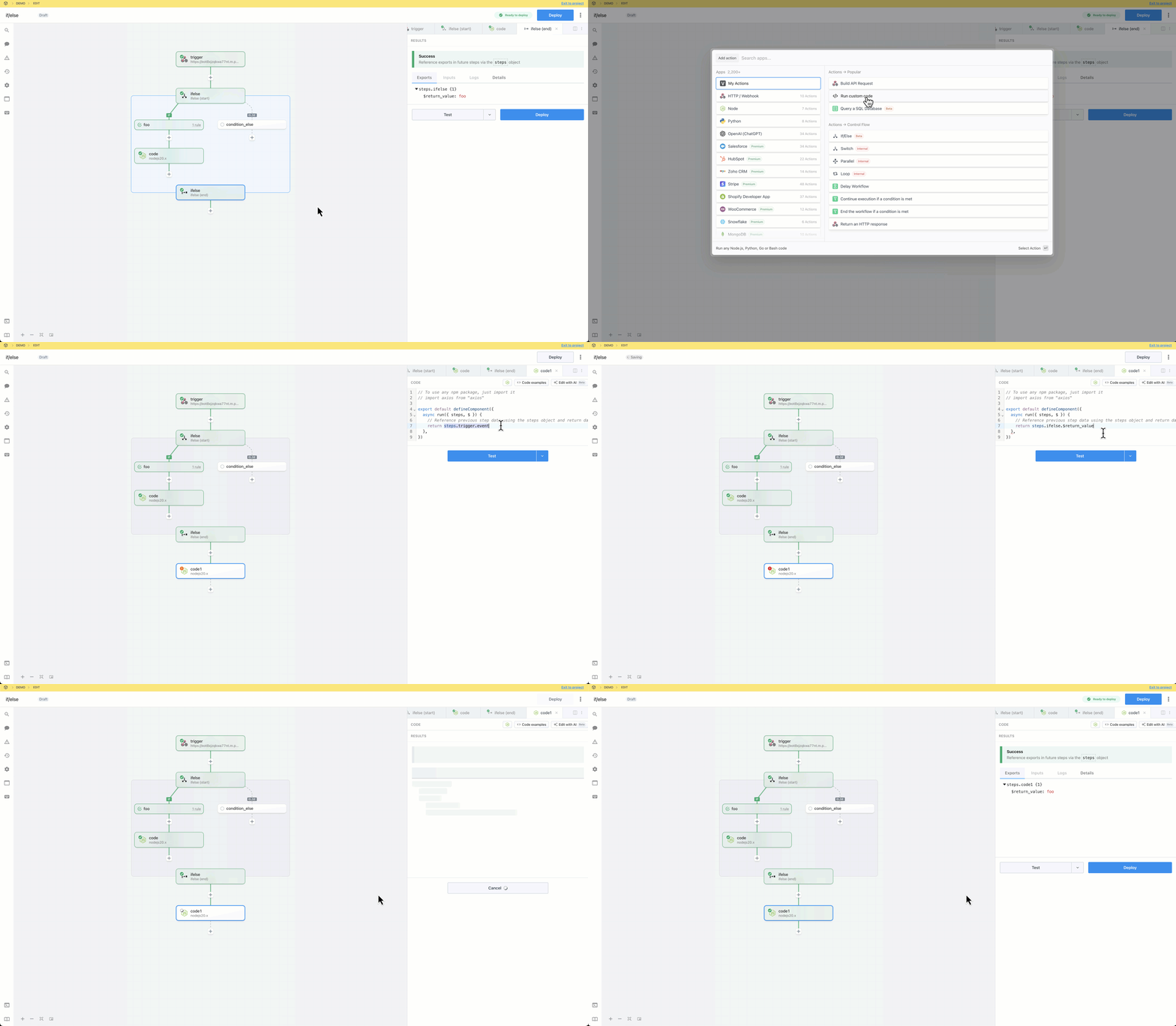
Add a step and reference the exports from `ifelse` using the steps object.
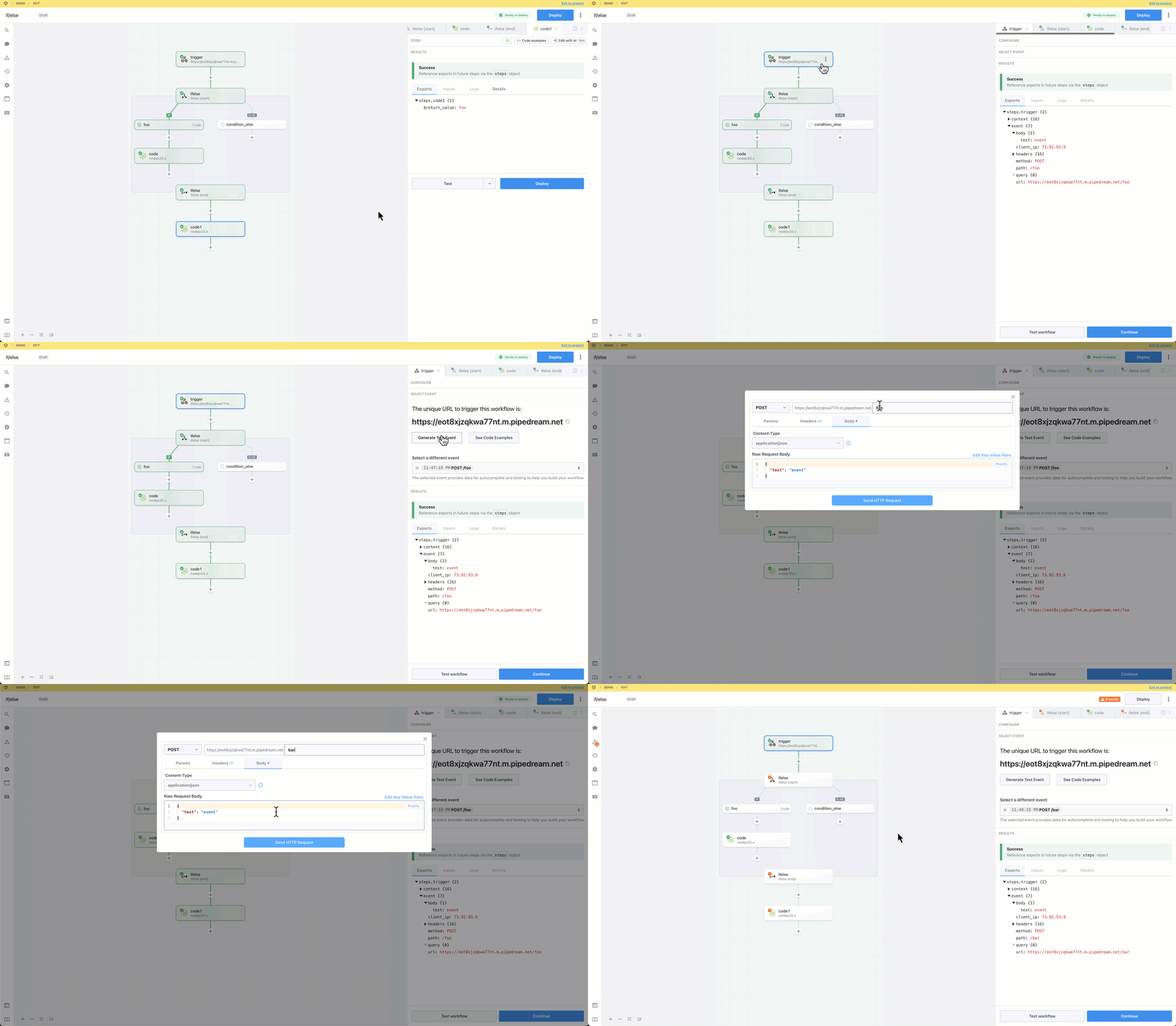
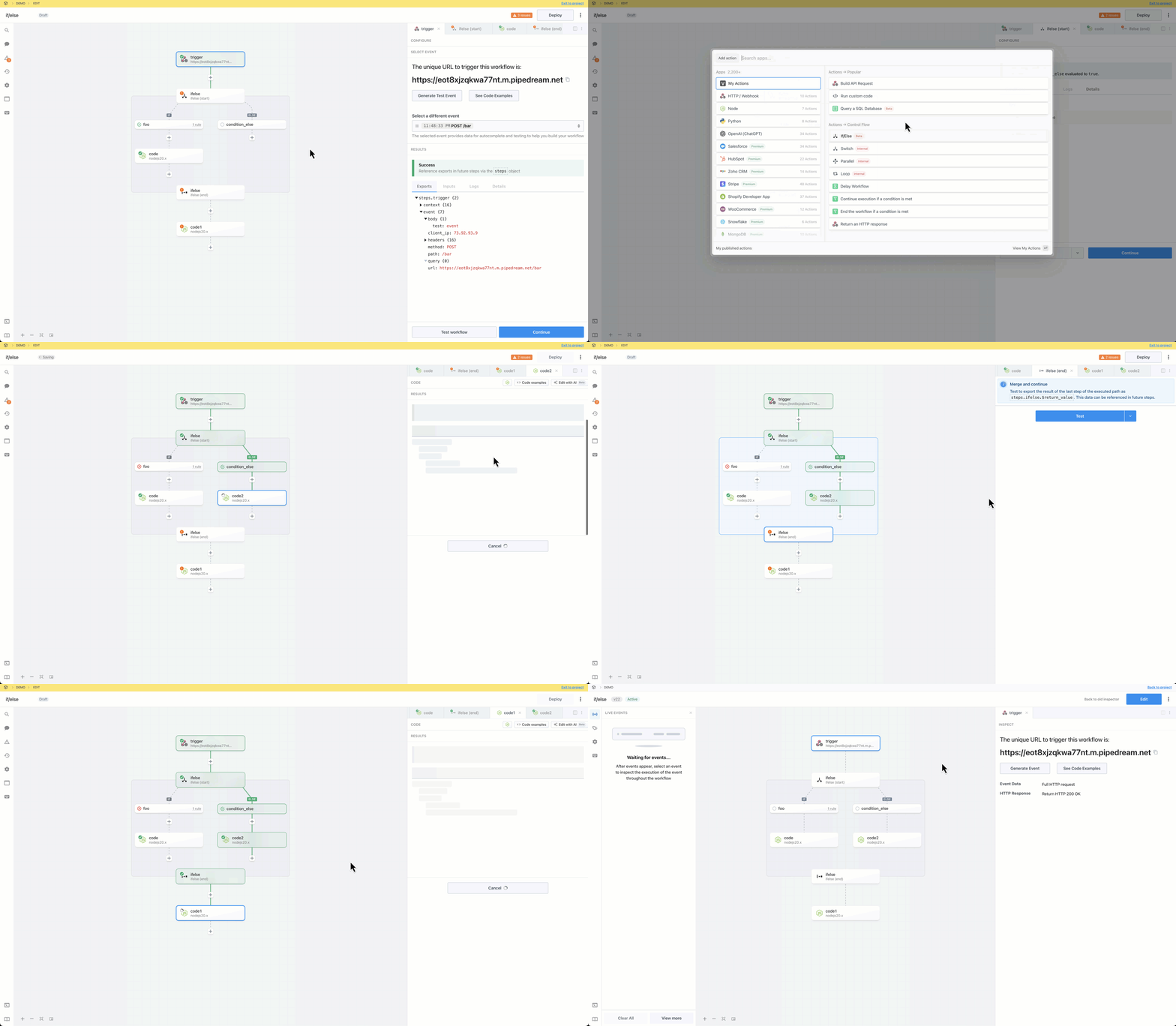
Generate or select an alternate event to generate data to help you test other branches as you build. When you select a new event, the steps in the root workflow segments go stale. Steps in control flow blocks will only go stale if they are in the known path of execution; i.e., if you test a start phase, the steps in the success path will become stale.
Build, test and deploy the workflow.
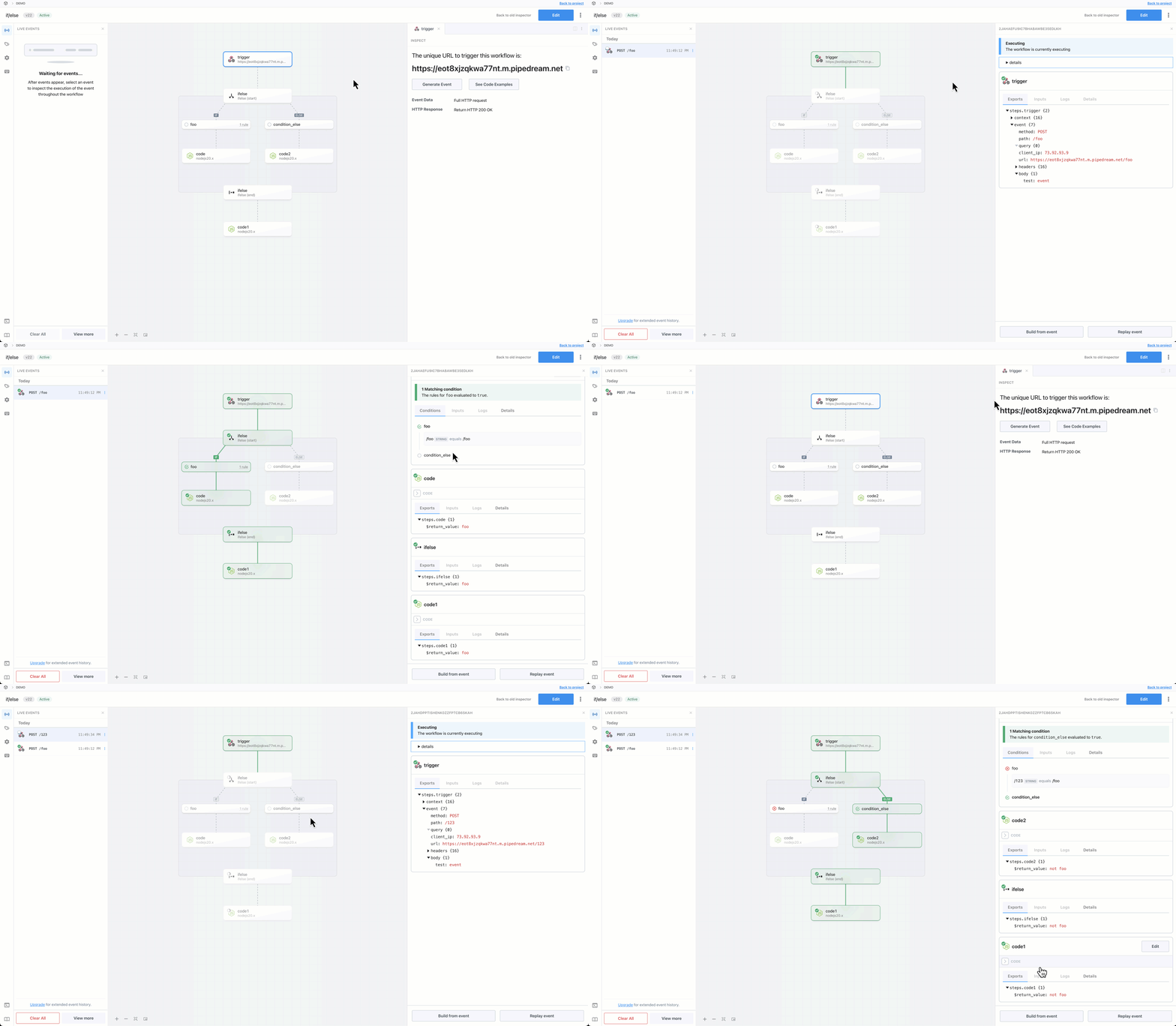
Generate test events to trigger the deployed workflow and inspect the executions.
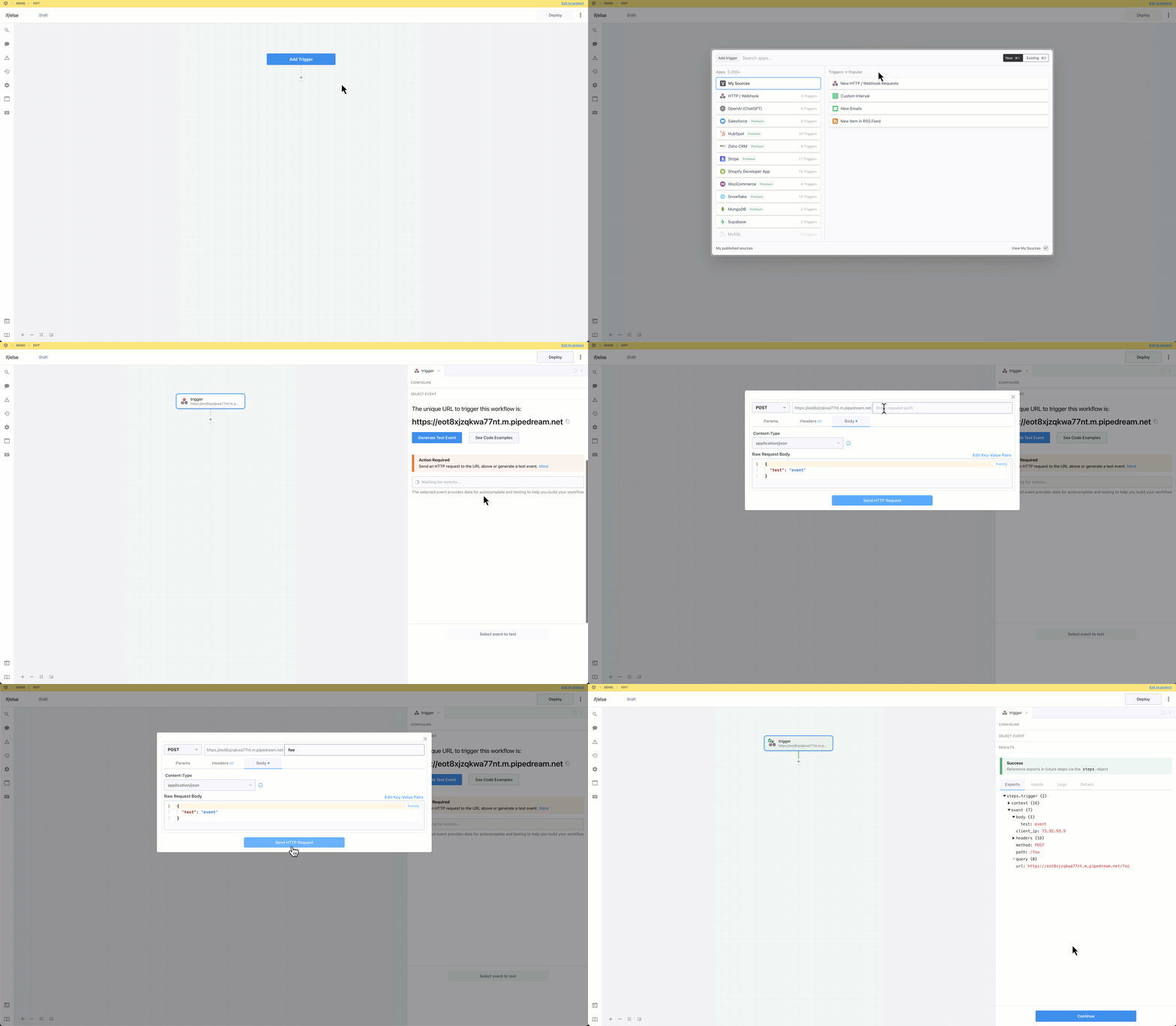
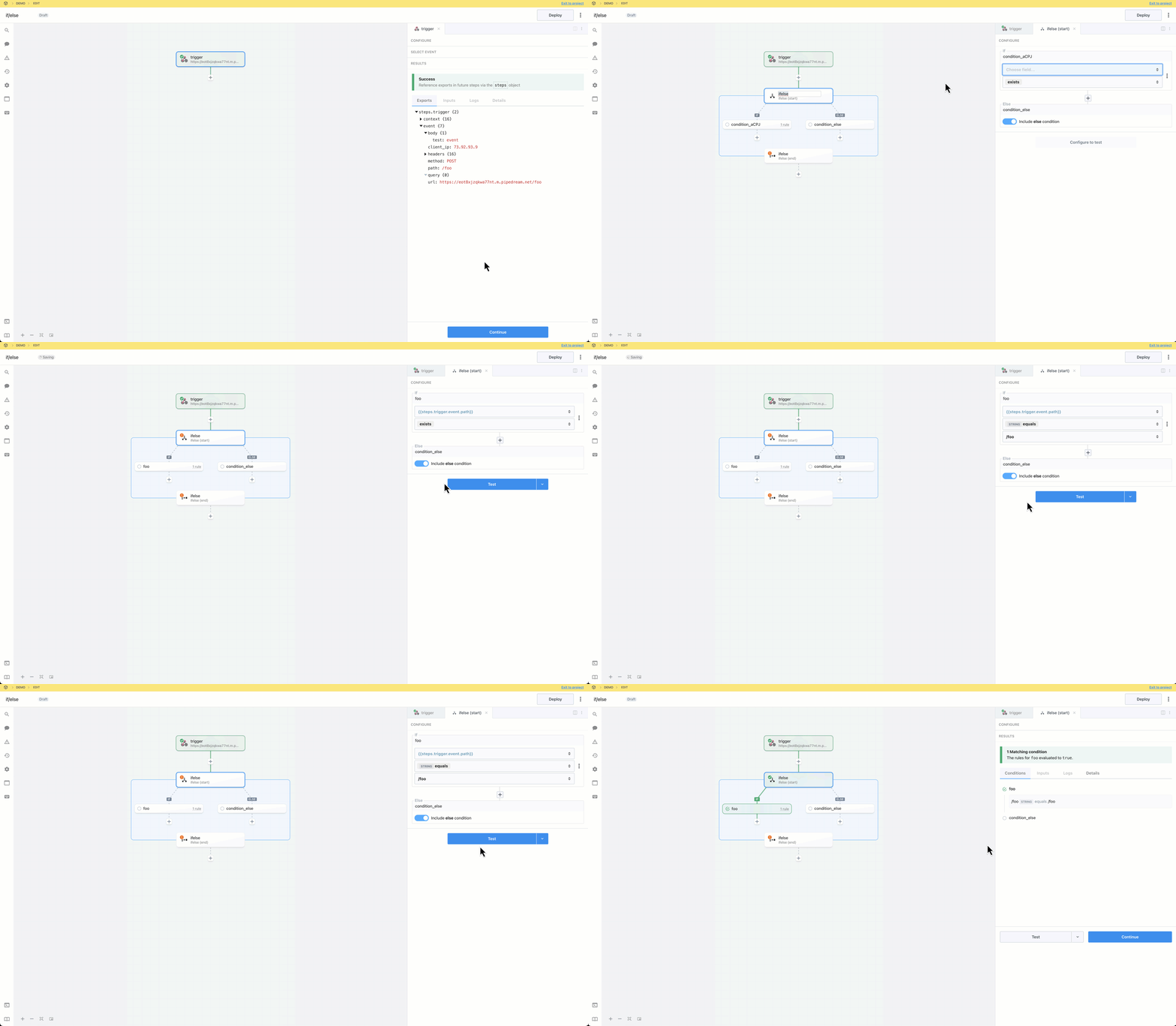
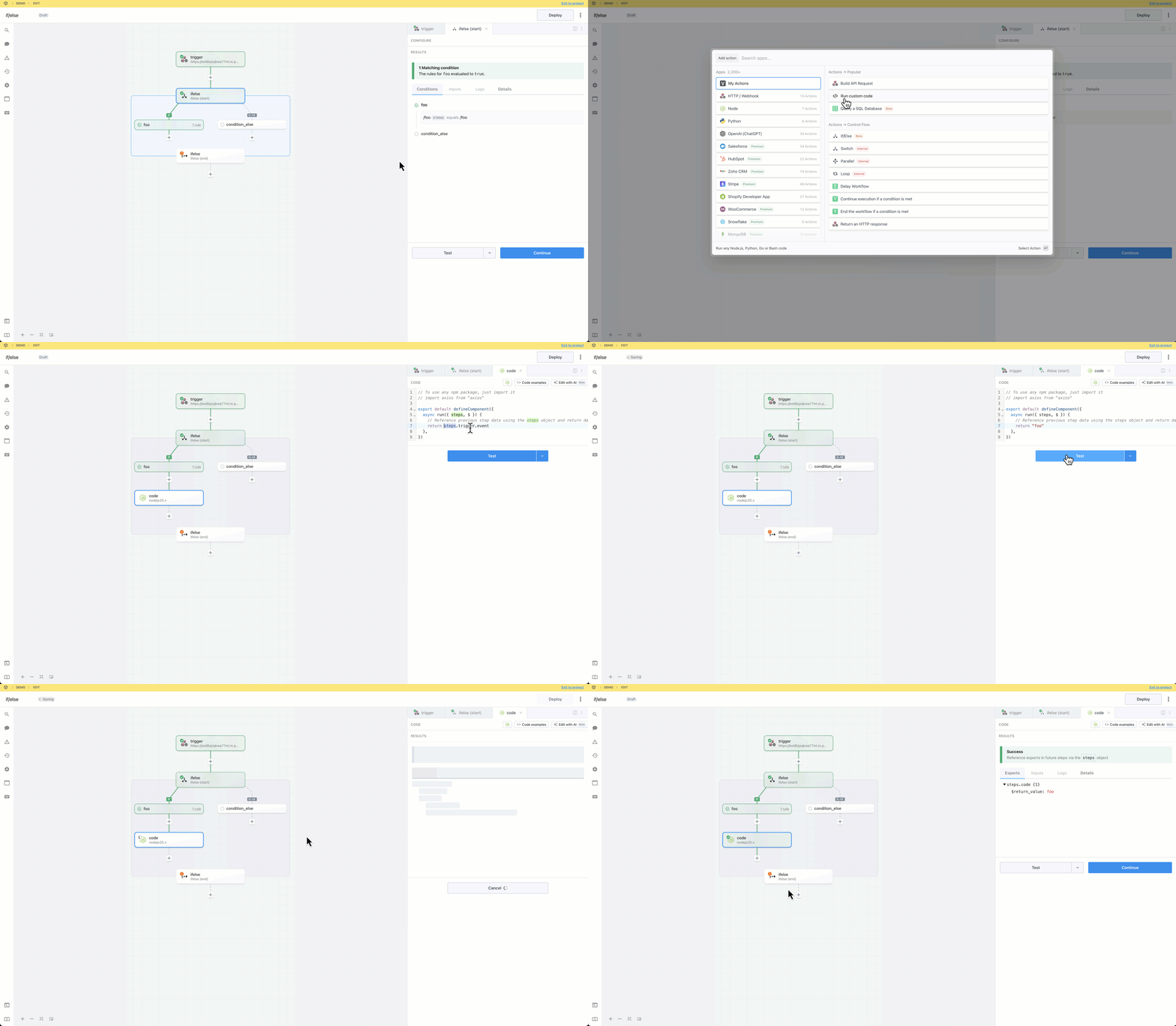
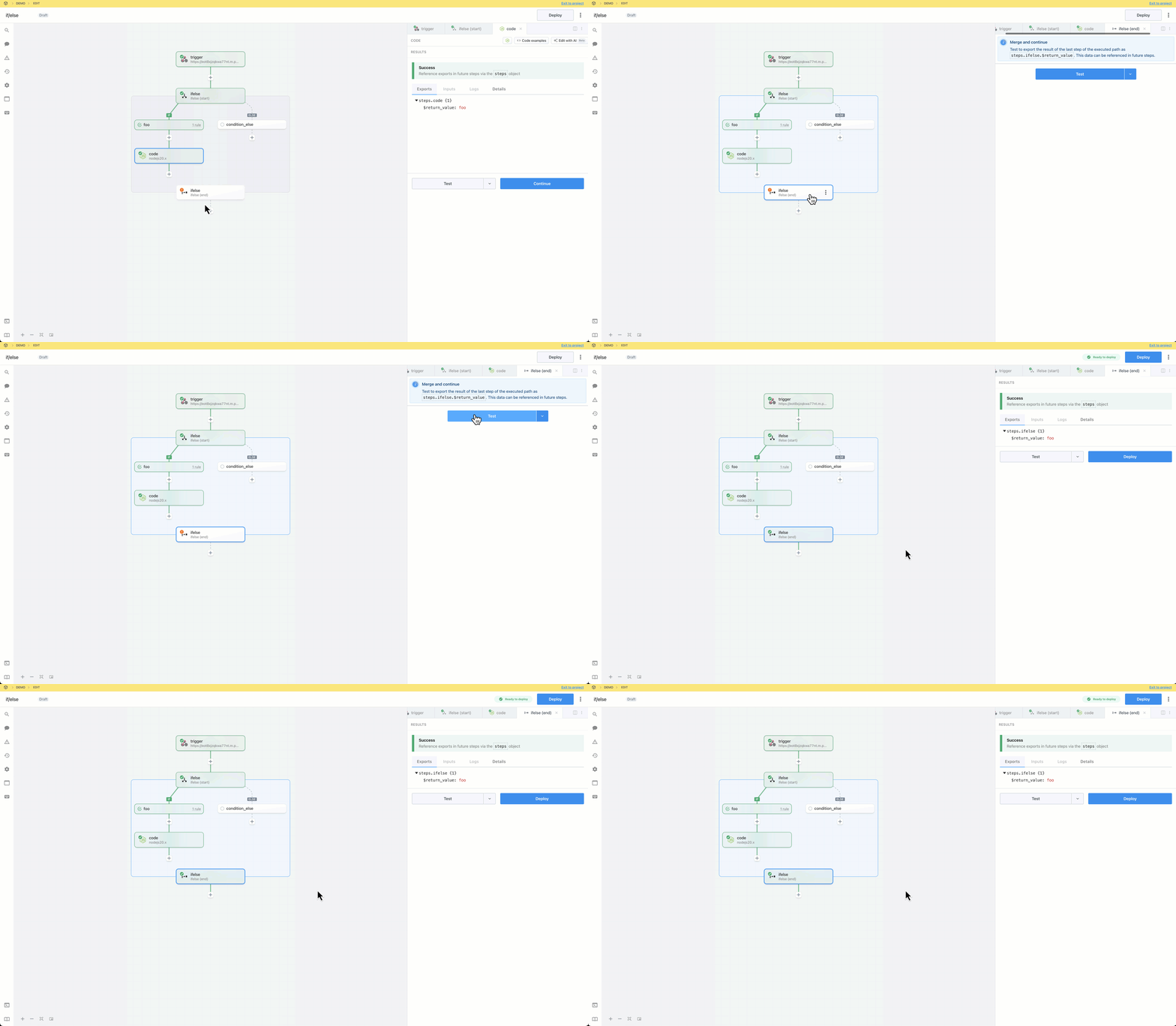 Add a step and reference the exports from `ifelse` using the steps object.
 Build, test and deploy the workflow.
 ## Capabilities
* Define rules to conditionally execute one of many branches
* Evaluate one or more expressions for each condition (use boolean operators to combine multiple rules)
* Use the **Else** condition as a fallback
* Merge and continue execution in the parent flow after the branching operation
## Capabilities
* Define rules to conditionally execute one of many branches
* Evaluate one or more expressions for each condition (use boolean operators to combine multiple rules)
* Use the **Else** condition as a fallback
* Merge and continue execution in the parent flow after the branching operation